Roku + IPTV Buffering? Why Fire TV Wins for Vikings
September 1, 2026 · 8 min read
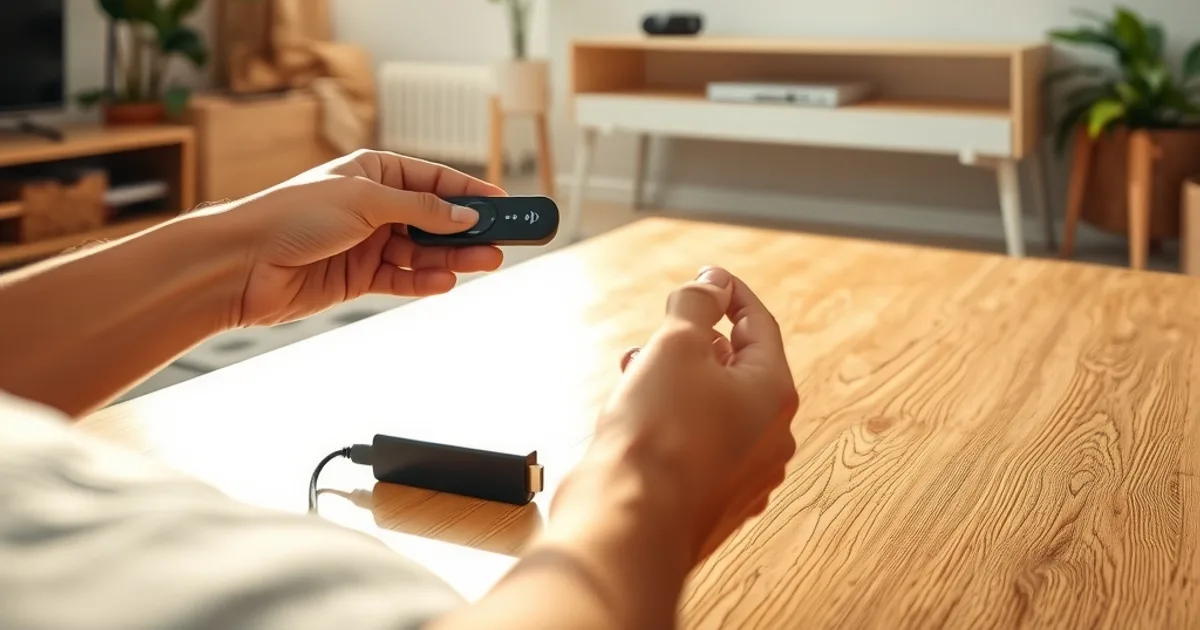
September 2026 means Allsvenskan and Eliteserien are both deep into their seasons, and cord-cutters across the Nordics are scrambling to get IPTV apps installed before kickoff. If you just unboxed a Roku, there's a decent chance you're already stuck — the app isn't in the Roku Channel Store, sideloading feels sketchy, and the workarounds you find online range from clunky to unreliable.
This is the moment where a lot of people give up on IPTV entirely, assuming the technology itself is flaky. It isn't. The problem is almost always the device. Roku was built as a closed, curated platform for licensed streaming apps — not for the M3U/Xtream-style players that IPTV services like Vikings IPTV rely on. Fire TV was built differently, and that difference matters a lot more than most setup guides admit.
We'd rather tell you this before you spend an evening fighting a screen-mirroring app than after. Below is an honest comparison of Roku and Fire TV for IPTV use, plus a real walkthrough of what setup looks like on each.
Why Roku Is Hard for IPTV: A Closed OS by Design
Roku's app store is a walled garden. Every app goes through a review process, and Roku has historically been strict about what kind of streaming apps it approves — particularly anything that plays live TV from third-party sources rather than a single licensed catalog. IPTV player apps like TiviMate, IPTV Smarters Pro, and GSE Smart IPTV are either absent from the Roku Channel Store or exist there in stripped-down, ad-heavy versions that don't compare to their Android counterparts.
This isn't a bug you can patch around with better Wi-Fi. It's an architectural choice: Roku prioritizes a tightly controlled ecosystem, which is great for predictability and terrible for flexibility. If your use case falls outside what Roku's curators had in mind, you're working against the platform, not with it.
For our vikingiptv.us subscribers watching Allsvenskan, Eliteserien, or Champions League matches, that friction shows up at the worst possible time: right as you're trying to get set up for a match that's about to start.
Not sure if your streaming device is holding you back? Ask us before you buy or troubleshoot anything.
Three Roku Workarounds — And Why They're Clunky
The most common fix people find is Web Video Caster, a third-party app that lets you cast an IPTV stream from your phone to your Roku. It works, technically, but it adds a second device to the chain, depends on your phone staying awake and connected, and strips out DVR/EPG features most IPTV players offer natively.
The second workaround is running an IPTV player through Roku's built-in web browser channels (where available) or a sideloaded browser. Browsers on Roku are underpowered, weren't designed for continuous video decoding, and tend to stutter or crash during long viewing sessions — exactly when you don't want it to, mid-match.
The third is screen mirroring from a laptop or phone. This works in short bursts but chews through battery, introduces extra latency, and usually caps out at a lower resolution than the source stream. None of these are 'IPTV on Roku' — they're workarounds for the fact that Roku doesn't really support IPTV at all.
If you've already tried Fire TV and are dealing with buffering instead of installation problems, that's a separate and very fixable issue — see our guide on fixing Champions League buffering during peak hours.
Fire TV vs Roku: Price, Performance, App Ecosystem
Both platforms sell affordable streaming sticks, and neither is meaningfully expensive relative to a cable box. The real difference isn't price — it's what you're allowed to install. Fire TV runs on Android's app foundation, and Amazon's app store — plus sideloading via the Downloader app — supports IPTV players as first-class citizens. TiviMate, IPTV Smarters Pro, and similar apps install and run natively, not through a workaround layer.
Performance-wise, Fire TV devices (particularly the Stick 4K and Cube models) tend to ship with more RAM and stronger processors than comparably priced Roku sticks, which matters directly for IPTV: EPG grids, multi-view, and 4K decoding are all more demanding than a typical Netflix session.
The app ecosystem gap is the deciding factor for most cord-cutters. Roku's curated approach protects casual streamers from clutter; it also blocks the exact category of app that IPTV subscribers need.
Vikings IPTV Playback: 4K Sports Stability on Fire TV vs Roku Limits
Live sports are the hardest content type for any streaming setup — constant bitrate, no buffer window to recover from a dropped frame, and thousands of viewers hitting the same match simultaneously. On Fire TV, Vikings IPTV streams run through a native player with proper hardware decoding, adaptive bitrate handling, and EPG-driven channel switching that doesn't require reloading a browser tab or reconnecting a cast session.
On Roku, even when a workaround is functioning, you're adding extra hops — phone to Roku, or browser tab to decoder — each of which is a place for a live 4K sports stream to stutter. It's not that Roku hardware can't decode video; it's that the path IPTV traffic has to take on Roku is longer and less stable by design.
If you're watching Eliteserien or Allsvenskan fixtures this month, or planning ahead for Champions League matchdays, the device you're watching on matters as much as your internet connection.
5-Minute Fire TV + Vikings IPTV Setup (vs 30+ Minutes on Roku)
On Fire TV, setup is straightforward: enable apps from unknown sources in Settings, install the Downloader app, grab your preferred IPTV player (TiviMate or Smarters Pro), and enter the credentials or M3U URL Vikings IPTV provides you. Most subscribers are watching within five minutes of finishing the download. Our full walkthrough is in the Fire Stick setup guide, which covers the Downloader steps screen by screen.
On Roku, even the fastest workaround — Web Video Caster — requires installing a companion app on your phone, pairing devices, configuring the cast source, and testing that the connection holds. Our Roku setup guide walks through this in detail, but be honest with yourself about whether you want to spend 30+ minutes wiring up a workaround versus five minutes on a platform built for this.
This isn't a knock on people who already own a Roku — plenty of our subscribers use one successfully. It's a heads-up for anyone about to buy a streaming device specifically for IPTV: buy the one that doesn't fight you.
TiviMate and Smarters Pro on Fire TV: Why They Run Flawlessly
TiviMate and IPTV Smarters Pro were both built with Android TV devices as the primary target, and Fire TV shares enough of that foundation that installation, EPG loading, and playback behave exactly as the developers intended — no compatibility layer, no missing features.
TiviMate in particular offers multi-screen viewing, a proper program guide, and catch-up support that simply isn't available through any Roku workaround. Smarters Pro adds VOD browsing and series tracking that stays snappy because it's running natively rather than through a cast or browser bridge.
For our full breakdown of which player pairs best with which use case — including options built for tracking Nordic league fixtures — see our guide to the best IPTV players for Nordic sports.
Ready to watch this season's matches without the Roku workarounds? See what a Vikings IPTV plan includes.
Troubleshooting: Common Roku Buffering and App-Crash Issues
If you're already on Roku and seeing repeated buffering, the first thing to check isn't your internet speed — it's whether you're running IPTV through a cast or browser workaround, both of which introduce their own bottlenecks independent of your connection.
App crashes on Roku's browser-based workarounds are usually a memory issue: Roku's browser channels aren't built to hold a long-running video decode session, and they'll drop out after 20-40 minutes of continuous playback, right around when a match reaches its second half.
If switching devices isn't an option right now, keeping sessions short, restarting the workaround app between matches, and avoiding 4K streams on Roku specifically will reduce (not eliminate) the frequency of drops. But if IPTV is now a regular part of how you watch football, a Fire TV Stick is a small, one-time cost that removes the problem at the source rather than managing around it.
Frequently asked questions
Can I run Vikings IPTV directly on a Roku without any workaround?
Not reliably. Roku's app store doesn't host IPTV player apps like TiviMate or Smarters Pro, so you're limited to casting from another device, using a browser channel, or screen mirroring — all of which add extra steps and reduce stability compared to a native install.
Is Fire TV more expensive than Roku?
Entry-level Fire TV sticks and Roku sticks are priced similarly. The real cost difference is time and hassle — Fire TV lets you install an IPTV player directly in a few minutes, while Roku workarounds can take 30 minutes or more to set up and still be less stable.
Which Fire TV model is best for 4K IPTV sports streaming?
The Fire TV Stick 4K or Fire TV Cube handle 4K sports streams more comfortably than the base Fire TV Stick, thanks to more RAM and stronger processors for continuous decoding and EPG handling.
Will switching from Roku to Fire TV fix my buffering during big matches?
It removes one major source of buffering — the extra casting or browser layer Roku workarounds require. Buffering during peak-hour matches can still happen due to network congestion; see our Champions League buffering guide for those fixes specifically.
Do I need to sideload apps on Fire TV, and is that safe?
Yes, IPTV players are typically installed via the Downloader app rather than the main Amazon app store. This is a standard, well-documented process on Fire TV and doesn't require rooting the device or voiding any warranty.
Can I use TiviMate on Roku instead of Fire TV?
No — TiviMate is built for Android-based platforms and isn't available for Roku's OS. This is one of the clearest examples of why Fire TV's Android foundation matters for IPTV specifically.
Read next: the pricing page or the FAQ.