How to Start Streaming with Vikings IPTV: Complete First-Timer Guide
September 4, 2026 · 9 min read
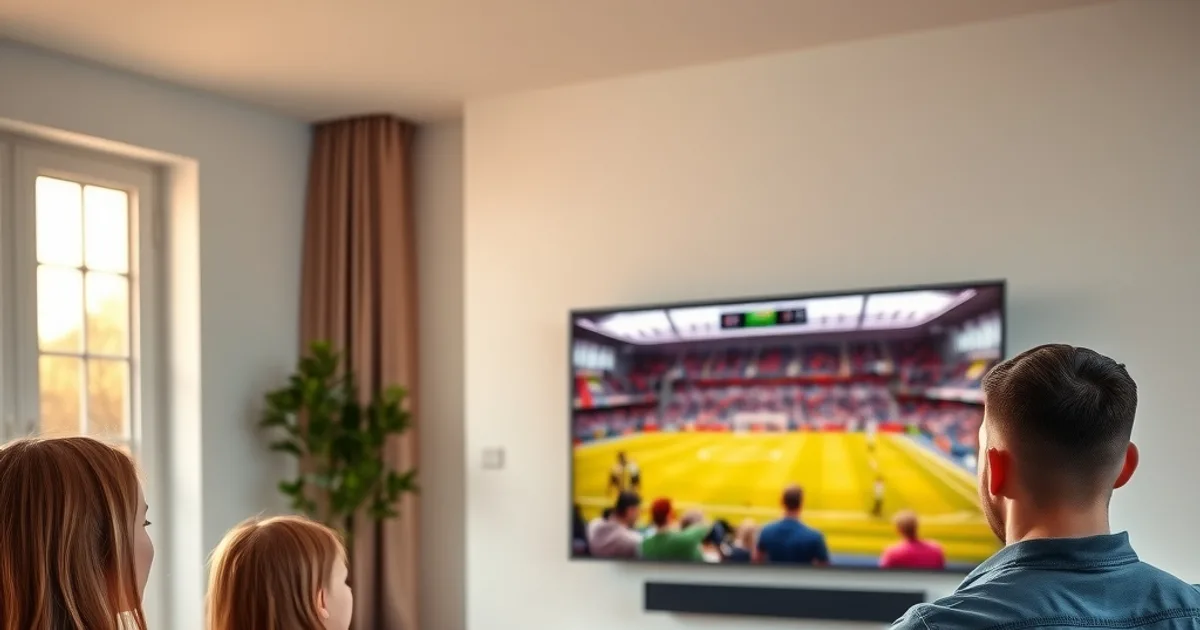
September 2026 is a loud month for Nordic football fans: the Champions League group phase has just kicked off, Allsvenskan is deep into its title run-in, and a lot of people are quietly asking the same question — is there a legal way to watch all of it without paying for four separate cable packages? At the same time, a Mediavision report making the rounds put a number on something everyone suspected: an estimated €280 million flows through illegal IPTV subscriptions across the Nordic region every year, and broadcasters are responding with account bans, ISP-level blocking, and legal threats aimed squarely at users of those services.
That crackdown is exactly why this guide exists. If you're new to IPTV entirely — not just new to Vikings — the honest, unglamorous truth is that most of what stops people from switching isn't the football, it's uncertainty: will this get me in trouble, will my internet actually handle it, which box do I even buy? This guide answers all three, in order, so you can go from zero to watching your first match in under ten minutes.
We'll cover what a legal service actually looks like versus the grey-market apps behind the Mediavision numbers, a real bandwidth check instead of a vague "broadband recommended" line, a device ranking built specifically for live sports rather than generic streaming, and the exact account-and-install steps. If you want the deep dive on the legal side specifically, our companion piece at /blog/vikings-iptv-legal-guide-sweden-2026 covers the regulatory detail — this guide keeps it practical.
Why This Matters Now: Legal IPTV vs the €280M Illegal Market
The distinction that actually matters isn't "IPTV vs cable" — IPTV is just a delivery method, the same technology legitimate broadcasters use for their own streaming apps. The distinction is licensed vs unlicensed. Unlicensed services resell broadcast rights they don't own, which is why they're cheap, why they get shut down without warning mid-season, and why the recent Mediavision report and subsequent broadcaster action have specifically targeted them — not IPTV as a concept.
A legitimate service like Vikings IPTV operates on properly licensed content agreements, which means three practical things for you: your access doesn't vanish overnight when a rights-holder complains, you're not the target of the crackdown coverage you've been reading about, and you get consistent customer support instead of a Telegram channel that goes dark. For the full legal breakdown — how licensing works, what "grey market" actually means in Nordic broadcasting law, and how to spot a service that isn't legitimate — read /blog/vikings-iptv-legal-guide-sweden-2026.
None of this requires you to be a legal expert before you watch a match. It just means understanding that "cheap and unofficial" and "legal and stable" are two different products, and the one that survives the current enforcement wave is the one worth building your football season around.
Not sure which plan covers Allsvenskan and Champions League together?
What You Actually Need (Internet Speed Reality Check)
Most setup guides tell you to have "a good internet connection" and leave it there, which is useless the first time your Champions League stream buffers at kickoff. Here's the real math: standard-definition IPTV needs roughly 5-8 Mbps of stable, sustained bandwidth per stream; HD needs closer to 15-25 Mbps; and true 4K needs 40+ Mbps sustained, not just as an advertised plan speed.
The word doing the work in that sentence is sustained. A plan advertised as "100 Mbps" can still stutter during a match if five other devices in the house are active, if your ISP throttles video traffic during peak hours, or if you're on WiFi with a weak signal. Before your first match, run a speed test on the actual device you'll be watching on, during the same evening time slot a real match would air, not first thing in the morning when your connection is idle.
If your numbers look fine on paper but streams still stutter at kickoff specifically, that's a classic sign of ISP throttling rather than a genuine bandwidth shortage — some Nordic ISPs deprioritize streaming traffic during peak hours. We've written a dedicated walkthrough on identifying this and testing around it at /blog/detect-isp-throttling-iptv-nordic-vpn-test.
Which Device Is Best for Nordic Football (Device Ranking)
Generic IPTV guides rank devices for streaming in general — movies, catch-up TV, casual viewing. Live sports is a different workload: you need fast channel-switching for match commentary swaps, low latency so you're not fifteen seconds behind a neighbor's celebration shout, and stable performance over a two-hour match rather than a twenty-minute episode.
For most first-timers, a dedicated streaming box beats a smart TV's built-in apps, because smart TV processors are usually underpowered and slower to update. An Android TV box gives you the most flexibility and the best price-to-performance ratio for sports specifically — our setup walkthrough is at /blog/vikings-iptv-android-tv-box-4k-setup.
If you already own an Apple TV 4K, it's an excellent second choice with the smoothest interface of the three, particularly relevant with the 2026 World Cup approaching — see /blog/vikings-iptv-apple-tv-4k-world-cup-2026. A Fire TV Stick is the easiest entry point if you want something inexpensive and already plugged into an existing TV; our guide at /blog/vikings-iptv-fire-tv-stick-setup covers that install end to end.
Whichever hardware you pick, the app you run on it matters just as much as the box itself for sports specifically — buffering behavior, EPG accuracy, and multi-view support vary a lot between players. We rank the options built for this at /blog/best-iptv-player-nordic-sports-2026.
Creating Your Vikings IPTV Account (3 Minutes)
Account setup is deliberately simple: choose a plan that matches how you'll actually watch (see all current options at /pricing), complete the sign-up, and you'll receive your access credentials — typically a username and password or an activation URL, depending on the app you're using. Keep these somewhere you can find them quickly, because you'll enter them once per device during installation.
If anything about the plan lineup is unclear — how many simultaneous streams a plan supports, whether it covers the specific competitions you care about — that's a five-minute conversation, not something to guess at. A quick message gets you a straight answer before you commit to anything.
Installing the App on Your First Device
Installation follows the same basic shape across devices: install the IPTV player app from your device's app store (or sideload it, depending on the platform), open it, and enter the credentials from your account setup. The app will pull down your channel list and program guide automatically — there's nothing to configure manually.
The exact steps differ enough between platforms that we've written a dedicated walkthrough for each: Fire TV Stick at /blog/vikings-iptv-fire-tv-stick-setup, Apple TV 4K at /blog/vikings-iptv-apple-tv-4k-world-cup-2026, and Android TV boxes at /blog/vikings-iptv-android-tv-box-4k-setup. Follow the one matching your hardware rather than improvising — the sideloading process on Fire TV in particular has a couple of steps that trip up first-timers if skipped.
WiFi vs Ethernet: Why It Matters for Live Sports
This is the single most overlooked reason first streams disappoint people. WiFi is fine for browsing and even for on-demand video, because a brief drop just means a paused buffer nobody notices. Live sports has no buffer to fall back on — a signal dip during a goal is a signal dip during the goal, permanently.
If your streaming device is anywhere near your router, run an ethernet cable to it. It's a five-minute job and it removes the single biggest variable in stream quality. If ethernet genuinely isn't possible, keep your streaming device as close to the router as the room allows, minimize the number of walls between them, and avoid running large downloads or other 4K streams on the same network during a match.
This is also the first thing to check if a stream that tested fine during setup starts stuttering only during matches — it's rarely the account, it's almost always the network path at that specific moment.
Your First Match: Start Here (Allsvenskan, Champions League)
With Allsvenskan in its autumn run-in and the Champions League group phase now underway, September 2026 is a genuinely good moment to make your first match count. Open the electronic program guide in your app, find kickoff time, and tune in five to ten minutes early — this gives you a buffer to confirm picture quality before the whistle rather than troubleshooting mid-match.
For Champions League specifically, our full Nordic streaming guide at /blog/champions-league-2026-27-nordic-streaming-guide covers fixture patterns and kickoff times across the competition. If you're watching Allsvenskan from outside Sweden — a common situation for Nordic expats — /blog/allsvenskan-2026-27-streaming-outside-sweden addresses the specifics of following the league remotely.
Starting with a match you already care about, rather than a random test stream, is the best way to judge whether your setup is genuinely ready — you'll notice quality issues faster when you're actually invested in the result.
Ready to watch your first match legally, safely, and without the illegal-market risk?
Troubleshooting Your First 24 Hours
Most first-day issues fall into three categories, in order of likelihood: network (see the WiFi/ethernet section above), app cache (closing and reopening the app, or restarting the streaming device, resolves a surprising number of glitches), and device performance (older streaming sticks can struggle with newer 4K content — see the device ranking above if this is a recurring issue rather than a one-off).
If a specific channel or stream consistently underperforms while everything else runs smoothly, that's usually worth reporting rather than troubleshooting yourself — it's often a source-side issue that gets fixed faster with a direct report than repeated retries.
Give yourself one full day of normal use — ideally including a live match — before judging the service. A single restart-app-and-try-again on day one resolves the overwhelming majority of first-time hiccups, and from there the experience should be routine.
Frequently asked questions
Is Vikings IPTV legal to use in Sweden and the wider Nordic region?
Vikings IPTV operates on licensed content agreements, which is the key distinction from the unlicensed services flagged in the recent Mediavision report. For the full legal detail specific to Sweden and Nordic broadcasting rules, see /blog/vikings-iptv-legal-guide-sweden-2026.
What internet speed do I actually need to watch Champions League matches?
Plan for roughly 15-25 Mbps sustained for HD and 40+ Mbps sustained for 4K, tested on the actual device you'll watch on during evening hours rather than relying on your plan's advertised maximum speed.
Which device should a first-timer buy specifically for Nordic football?
An Android TV box gives the best balance of price and performance for live sports; Apple TV 4K is a strong second choice with the smoothest interface; a Fire TV Stick is the cheapest and easiest entry point. See the full comparison in the device ranking section above.
Can I watch on WiFi, or do I need an ethernet cable?
WiFi works, but ethernet is noticeably more reliable for live sports specifically because there's no buffer to absorb a signal dip. If your device is near your router, a wired connection removes the most common cause of match-day buffering.
How long does it take to go from signing up to watching my first match?
Account creation takes about three minutes, and app installation on most devices takes another five to ten, so most first-timers are watching within fifteen minutes of starting the process.
What should I do if a stream buffers only during live matches?
Check your network path first — close other high-bandwidth activity on the same connection and confirm whether it's an ethernet vs WiFi issue. If your connection tests fine but matches still stutter at kickoff specifically, that can be ISP throttling; see /blog/detect-isp-throttling-iptv-nordic-vpn-test for how to confirm and work around it.
Read next: the pricing page or the FAQ.